Your guests scan a QR code, design their cookie with their own photo and pay on their own phone. Your food printer prints the photo straight onto the cookie. No queue at the till, no change, no paper slips.
Apply now Get in touch Rent an Eddie
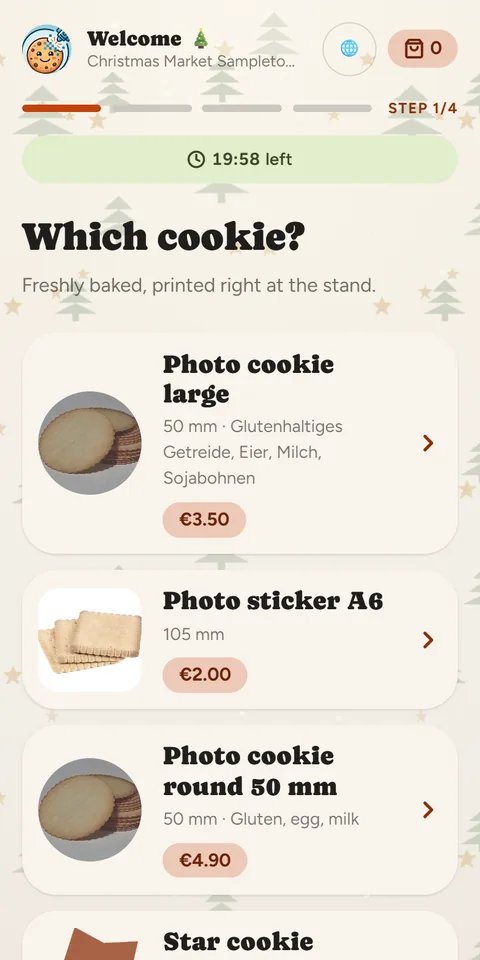
How it works
1. Scan the QR code
The kiosk opens in the browser, no app required. It greets your guests in their phone's language.
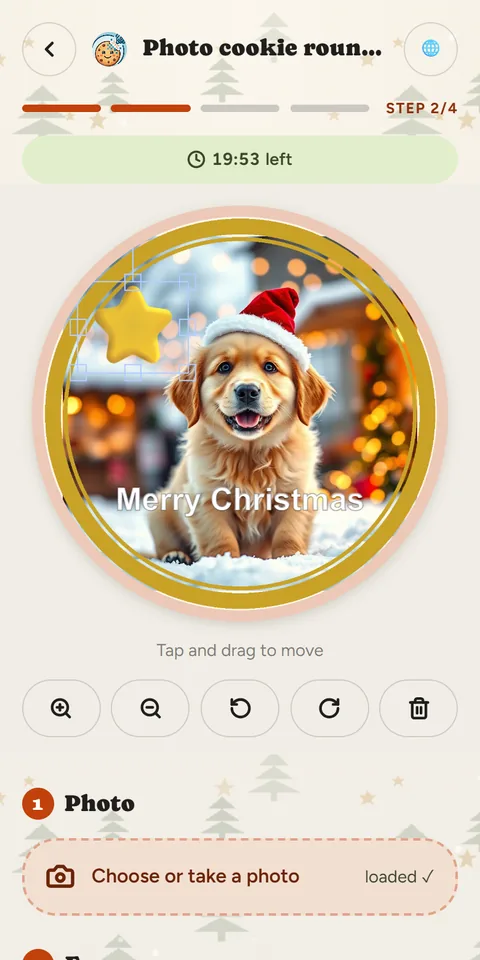
2. Design the cookie
A photo from the gallery or straight from the camera, plus frames, decorations and a greeting.
3. Pay
With Stripe or PayPal, straight into your account. The guest receives an order number.
4. Print and collect
Your stall PC picks up the order and the Eddie prints it. When the cookie is ready, the guest is notified.
A model to suit you
We offer different models: per cookie, short-term rental or subscription. There is something for everyone – just talk to us.
Why canprintweb
No queue at the till
Every guest orders and pays on their own phone. You and your team print and hand out.
Your money goes straight to you
Payments land in your own Stripe or PayPal account. Karley never handles your customers' money.
Every guest understands the kiosk
Nine languages out of the box, including English, Turkish, Polish and Arabic. Add more yourself.
Looks like your stall
Eight seasonal themes from Christmas market to summer fair, plus your logo, your colours and your own cookie shapes.
Built for the rush
With trays, the Eddie prints one design onto several cookies in a single run. Your staff get their own logins.
Invoices included
canprintweb issues the receipt automatically at handover, including for the German small-business scheme.
What you need
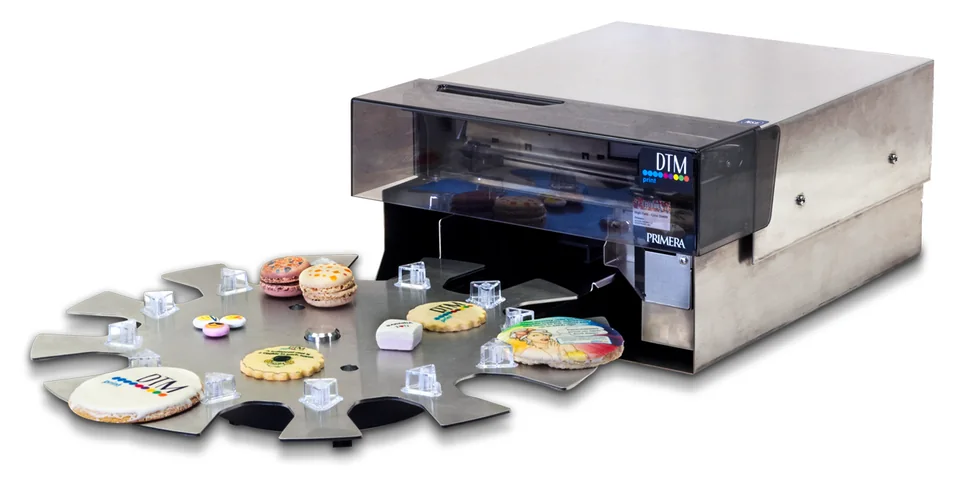
- A Primera Eddie. This food printer prints your photo onto cookies, macarons or wafer sheets. Eddie in our shop · Rent an Eddie
- A Windows PC at the stall. Download the small print program ready-configured from your dashboard, then double-click. No administrator rights needed.
- Internet at the stall. An outgoing connection is all it takes.
- A Stripe or PayPal account. Enter your details, test the connection, done.
Not sure whether buying an Eddie pays off? Rent one for your season.
Apply now Get in touch Rent an Eddie
Explained in videos
Location, season and decorations (2:02)
Creating, editing and disabling products (4:33)
You'll find all tutorials on the videos page and in our YouTube playlist.
Frequently asked questions
Do my guests need an app?
No. The kiosk runs in the browser – the QR code is all they need.
What does canprintweb cost?
That depends on your model: per cookie, short-term rental or subscription. Talk to us and we will find the right one.
Where does the money go?
Straight into your own Stripe or PayPal account.
Can I rent the Eddie?
Yes, you can rent the Eddie here.
More about canprintweb
- Kiosk for guests – From QR code to collection number, no app needed.
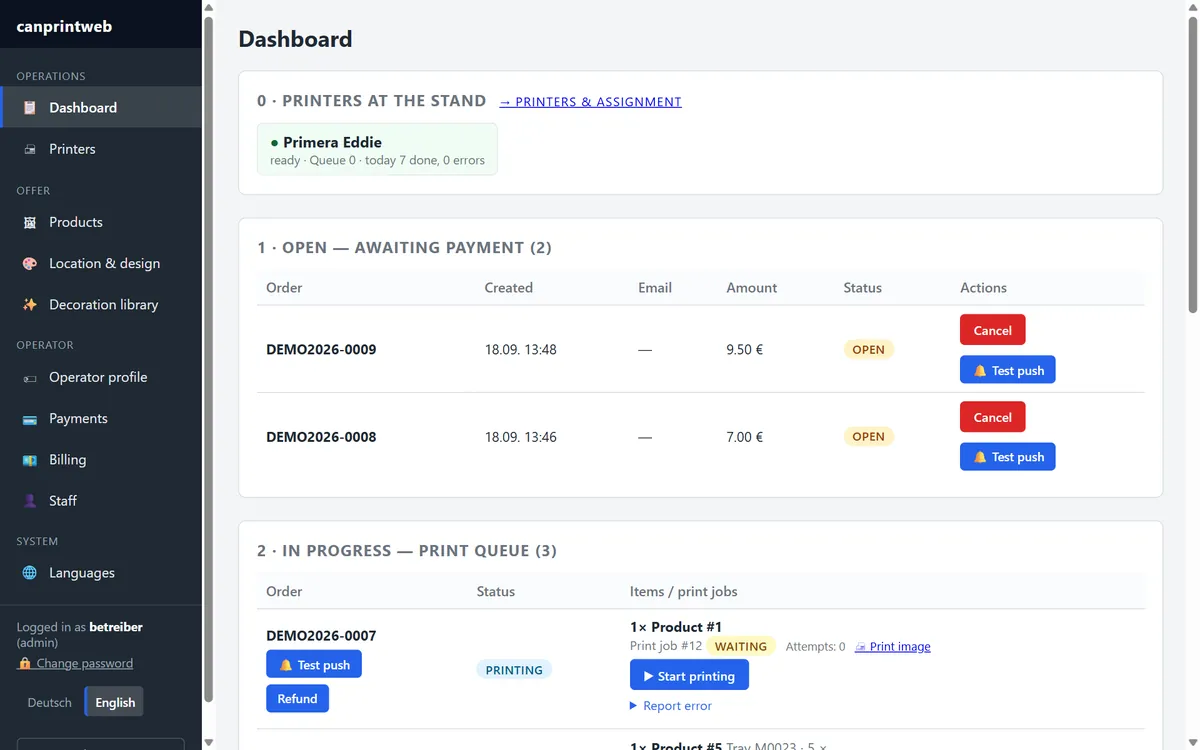
- Dashboard – Your market day at a glance, on your phone too.
- Design and languages – Eight seasons, your logo, nine languages.
- Payments and invoices – Your money goes straight to your account.
- Printer and stall – Primera Eddie, Windows PC, done.
- Videos – Every setup step, one short video at a time.
- FAQ – Costs, printer, internet, data protection.
Use cases
- Wedding – The cookie selfie as a party favour.
- Corporate event – Your logo, your people, one cookie.
- For photo booth hire businesses – The add-on for your case.
- For caterers – The dessert everyone talks about.
Fancy photo cookies at your stall? Tell us about your market. We'll set up canprintweb for you – you bring the cookies.