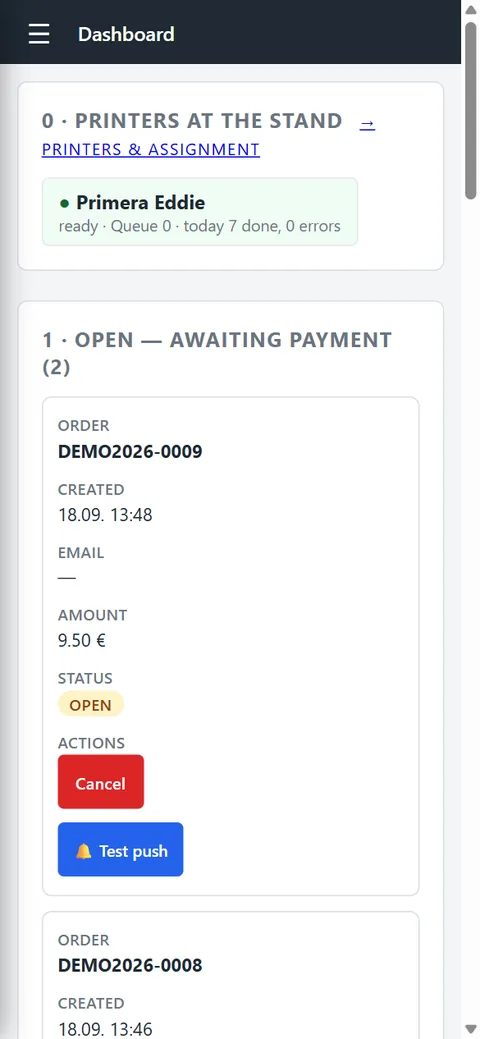
On market day, most things run by themselves. The dashboard shows you where every order stands at any time, on a PC or on your phone behind the counter.
Apply now Get in touch Rent an Eddie
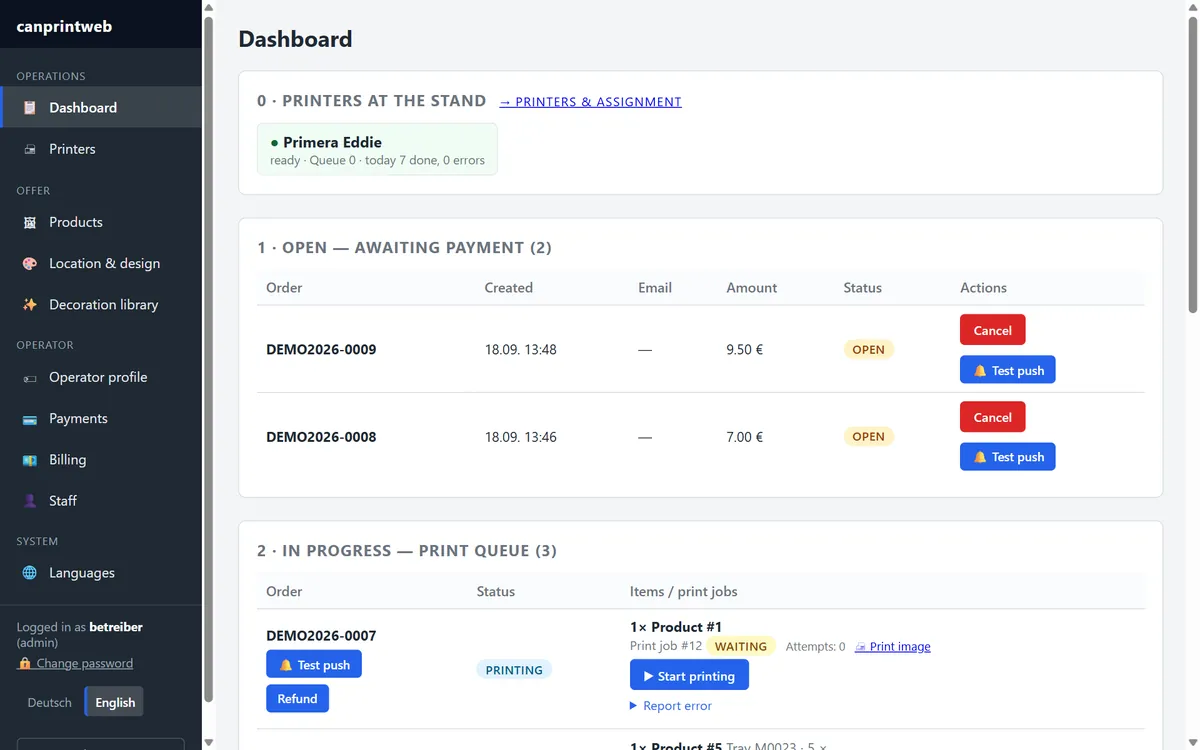
Organised like your working day
- Printers at the stall – See at a glance whether everything is ready.
- Open – Orders started but not yet paid. They clear themselves.
- In progress – The print queue, every item with its status.
- Ready for collection – The guest shows their number, you hand over.
- Completed – Recent orders for reference, with receipt.
When something jams
A cookie went wrong? One click on "Retry" and it's printed again. If the stall PC isn't printing at all, you can take an item through by hand. And if things take longer, send the guest a short message straight to their order page.
Refunds in one click
Refund in full or in part. The money goes back via your payment provider and the cancellation receipt is created automatically.
Your team, your rules
Your stall staff get their own logins with the "operator" role: orders and printing, nothing more. Profile, payments and billing stay with you. After five failed login attempts, an account is locked for 15 minutes.
The stall page at the printer
The stall PC has its own simple page: the printer at the top, today's orders below and a big button for handing over. No login, no menu, in nine languages – so even temporary staff get it straight away.
See the dashboard in action We'll show you canprintweb in a short demo.