The kiosk is what your guests see. It runs in their phone's browser or on a tablet at your stall and takes them from photo to collection number in four steps.
Apply now Get in touch Rent an Eddie
No app to install
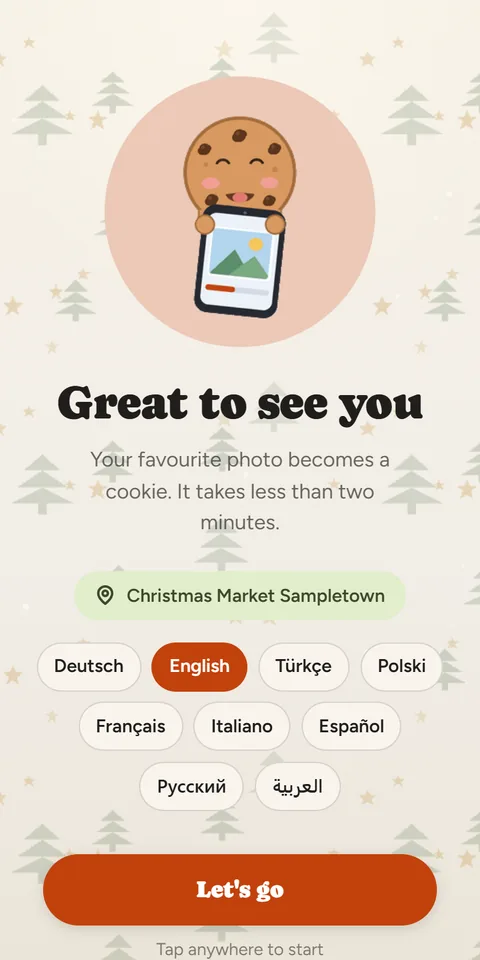
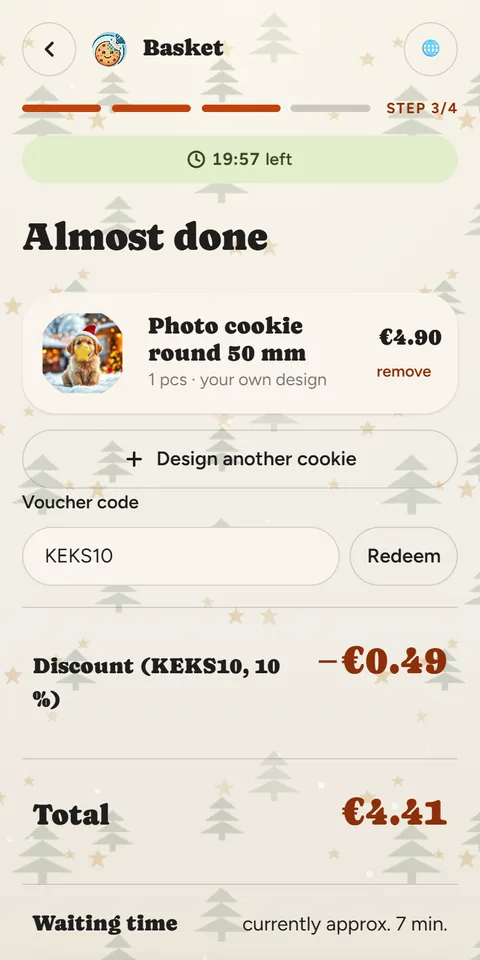
The guest scans your QR code. The kiosk greets them in their phone's language, and the language button lets them switch at any time. A progress bar shows which of the four steps they're on.
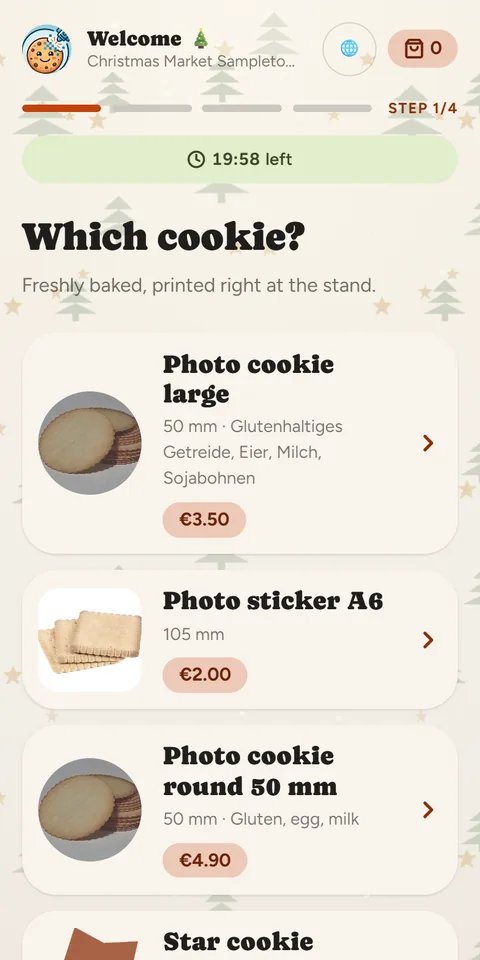
Choose a product
Your cookies are shown with picture, size, allergens and price: round, square or in your own shape, single or as a tray pack.
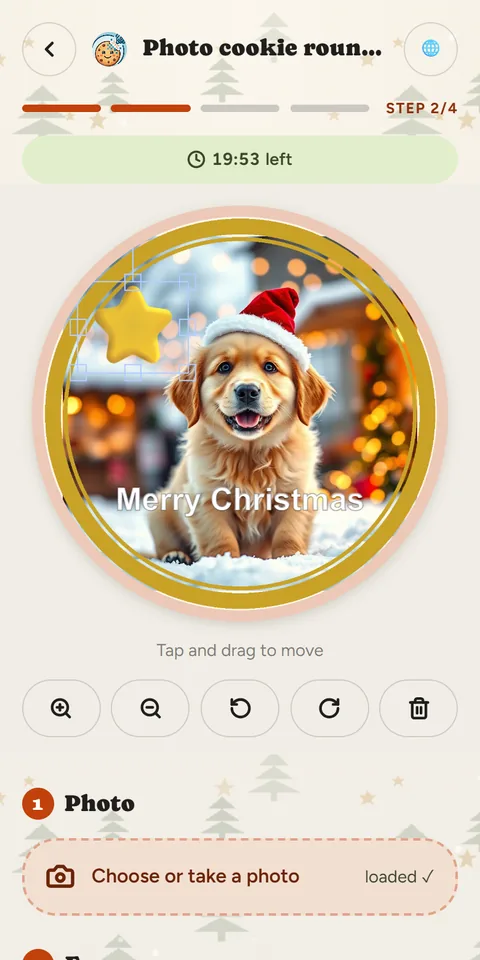
Design the cookie
- Photo from the gallery or straight from the camera. It appears on the cookie instantly.
- Adjust with a finger – bigger, smaller, rotate.
- Frames and decorations to match the season.
- Greeting with suggestions in several languages and four text colours.
- Quantity – the price updates as you go.
Basket and loyalty code
In the basket the guest sees the design, quantity and total. If they have a loyalty code from your last receipt, they redeem it here. The email address is optional. Before paying, the kiosk shows the approximate waiting time.
Pay and collect
Payment is by Stripe or PayPal. The guest then gets an order number with a barcode and a preview of their cookies. There's no need to wait at the stall: the page updates by itself when printing starts and when the cookie is ready, with a phone notification if they allow it. After handover they see their receipt.
Data protection that suits a market
Customer photos stay on the server only until they are printed and are then deleted automatically. If a guest walks away from the kiosk, the session starts afresh once it expires – the next guest sees nothing of the previous one.
Want the kiosk at your stall? Per cookie, short-term rental or subscription: there is something for everyone.